Page 1 of 2
Wall-E!
Posted: Wed Mar 24, 2010 7:31 am
by D3luxe
For my class we have to model, texture, and animate a character. I decided to do Wall-E, from..Wall-E. Lol.
Anyway, its super last minute, cause I just decided to do him today. We've had 3 weeks to work on this project, and I spent the past 2.5 weeks working on a character that I hate..it just looks like complete shit and I can't do anything with it. So, in similar fashion of all of my other projects, I scrapped it at the last minute and restarted, this time with Wall-E. The projects due Thursday morning, so I'll have the final versions tomorrow night at some point. Here's the WIP after todays work, about 8 hours of work thus far. The lighting isn't that great, just quick 2 minute lighting to get a render out.
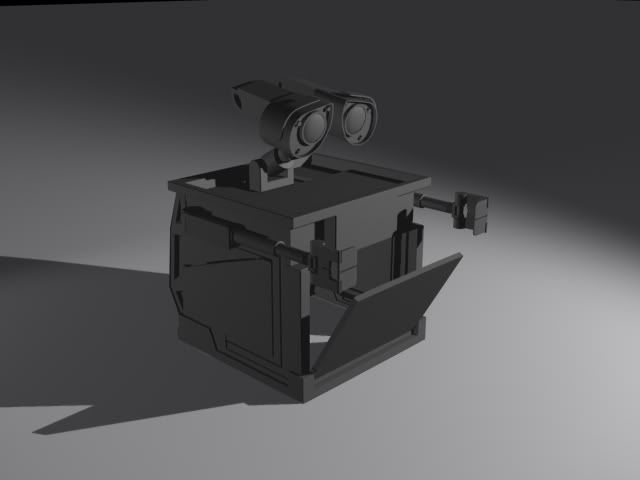
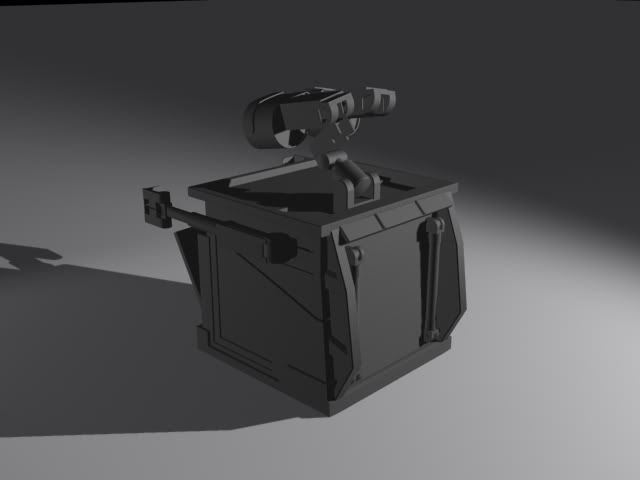
Comments/concerns?
Re: Wall-E!
Posted: Wed Mar 24, 2010 7:37 am
by SpiritWebb
I AM......DROOLING NOW!!!
Re: Wall-E!
Posted: Wed Mar 24, 2010 7:45 am
by D3luxe
Hehe =D Guess its looking good then. I'm actually pretty happy with this already, which is saying a lot considering I've hated all of the projects I've worked on recently.
Re: Wall-E!
Posted: Wed Mar 24, 2010 8:45 am
by Last Known Hero
very nice work. can't wait to see it rigged and animated

Since its not finished and it's looking great I'm going to pick apart the little things.
The bottom of Wall-e appears to be more rounded at the bottom than the square portion you have.
The rectangle that would form the upper arm seems to be a bit small
Some of the edges that form the 'body' are too sharp of edges, Wall-e appear to have sharp edges but I believe they are more chamfered
But in reality it looks amazing, like I said, I'm picking apart the little things for you
Re: Wall-E!
Posted: Wed Mar 24, 2010 3:09 pm
by D3luxe
Last Known Hero wrote:very nice work. can't wait to see it rigged and animated
Since its not finished and it's looking great I'm going to pick apart the little things.
The bottom of Wall-e appears to be more rounded at the bottom than the square portion you have.
The rectangle that would form the upper arm seems to be a bit small
Some of the edges that form the 'body' are too sharp of edges, Wall-e appear to have sharp edges but I believe they are more chamfered
But in reality it looks amazing, like I said, I'm picking apart the little things for you
Thanks =]
I see what you mean about the bottom. Just checked some references again and the bottom has a pretty big chamfer on it.
Looking at the references the square part of the upper arm looks pretty close for the size, but it may be a bit off. I'll see how it looks if I scale it up a bit.
And yep, I'm gonna go back and chamfer a lot of the hard edges once I'm positive that the body is done...Originally I had been chamfering the edges as I was working, but I ended up going back and having to change a LOT of the geometry and the chamfers were just a pain in the ass to fix. Wanna make sure everythings right first before I add those this time.
Little things are good! It's the little things that seperate good from great.
Re: Wall-E!
Posted: Wed Mar 24, 2010 9:49 pm
by D3luxe
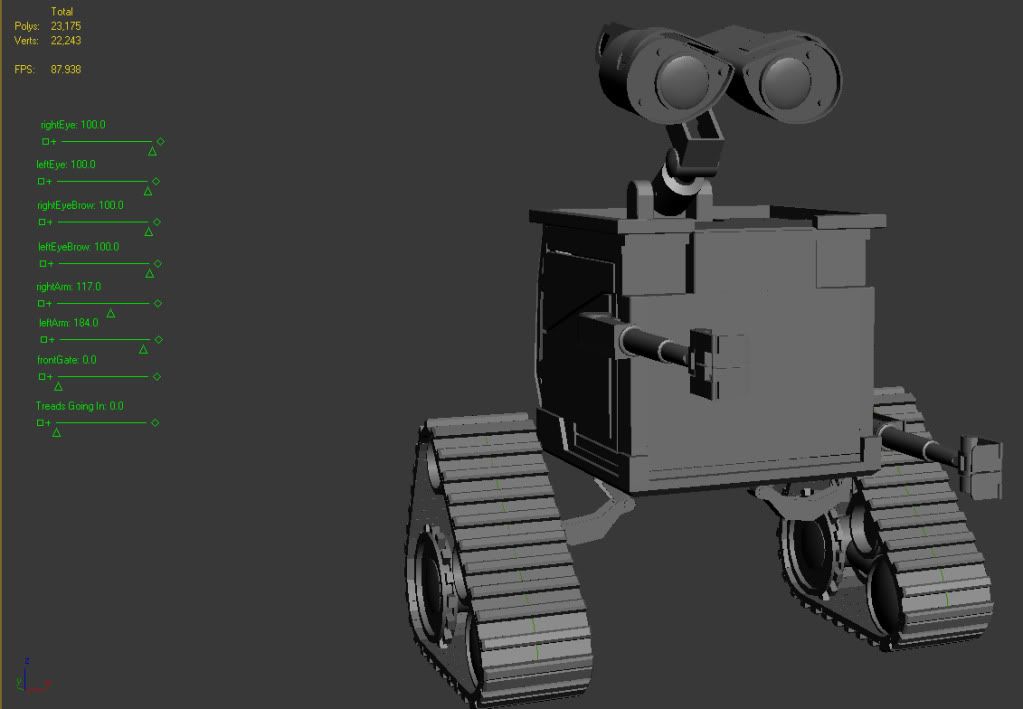
Rescaled a few things..Got everything looking a lot closer to the actual Wall-E, size wise. I also finished the tank treads.
I'm currently working on the rigging..I've never done this before. Probable not the greatest time to try to learn now, but whatever. Anyone ever use the 3DS Max sliders for animation?

I'll get some new screens of the finished model up a little later. I showed it to my teacher earlier and he's really impressed at how its coming out. He said my teacher for my modelling class should love it, which is good cause my teacher for my modelling class right now has really high expectations of the class.

Hopefully I can figure out these sliders soon.
Re: Wall-E!
Posted: Wed Mar 24, 2010 10:21 pm
by Last Known Hero
I would try googling 3ds max sliders. I searched just that and found a tutorial on youtube, didnt watch it though since I havent slept in a few dozen hours and cant foxus.. and btw sorry i meant the arms were good scale: check the upper arm in this picture, just the area that has the black and white caution stripes on the 'bicep' of walle, it seems to be less squared ends and all around rectangular. they almost appear to sag down..
LOOKING GREAT! JUST BEING PICKY FOR THE SAKE OF YOUR MARKS


Re: Wall-E!
Posted: Wed Mar 24, 2010 10:37 pm
by D3luxe
Yeah, I've been googling 3DS Max Sliders as well as different terms with Morph Targets and what-not.
If you look closely, that "Caution-tape" section of his bicep you're talking about is actually a cylinder with a flat side, same as in my model. Maybe I'm misunderstanding you?
Re: Wall-E!
Posted: Wed Mar 24, 2010 11:19 pm
by D3luxe
SUCCESS!!!!!
Finally figured out the sliders and how to get them to do exactly what I want. It's all done in the Reaction Manager.
This video shows the basic process:
http://www.youtube.com/watch?v=HVWlA6S_nfM
Woohoo! I can finally get started on the animation of Wall-E. One step closer!
Re: Wall-E!
Posted: Thu Mar 25, 2010 12:09 am
by D3luxe
Teaser...Tehe
Angry Wall-e